Ink Game Script Roblox 2025 So New
8/3/2025|1.2k views
Mobile
Reactions
Description
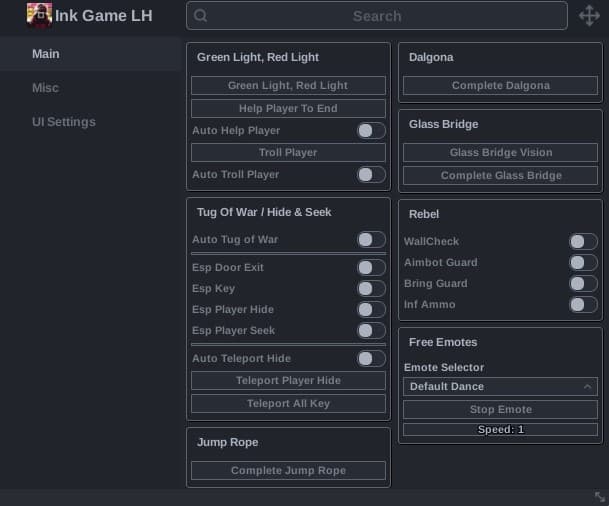
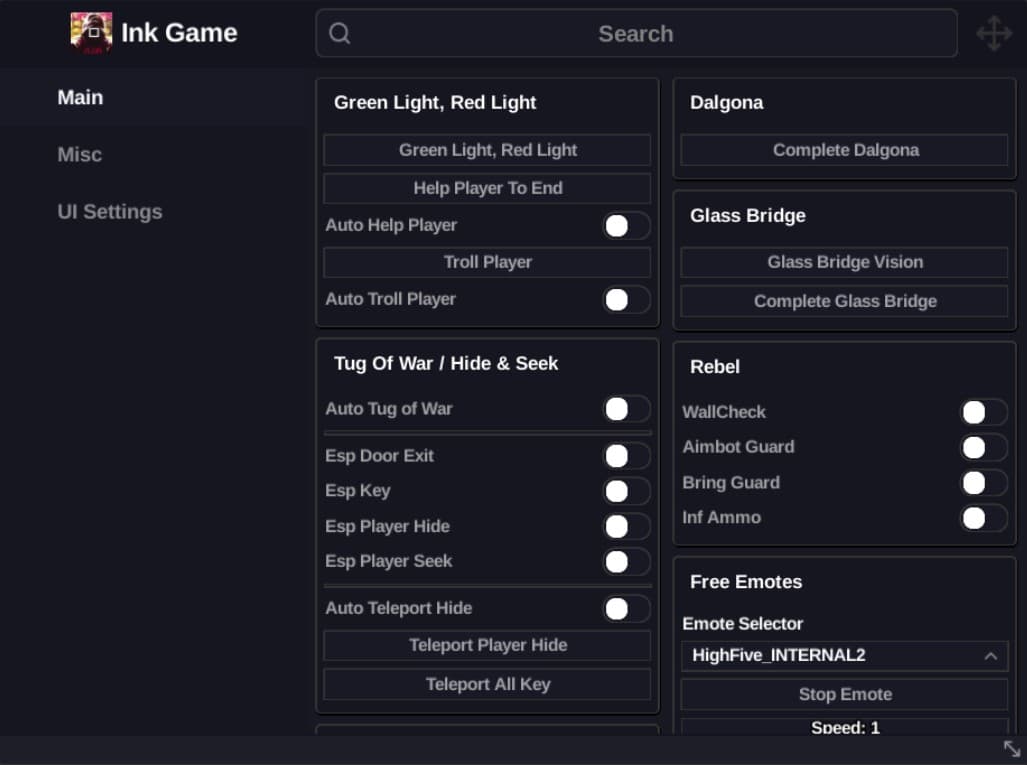
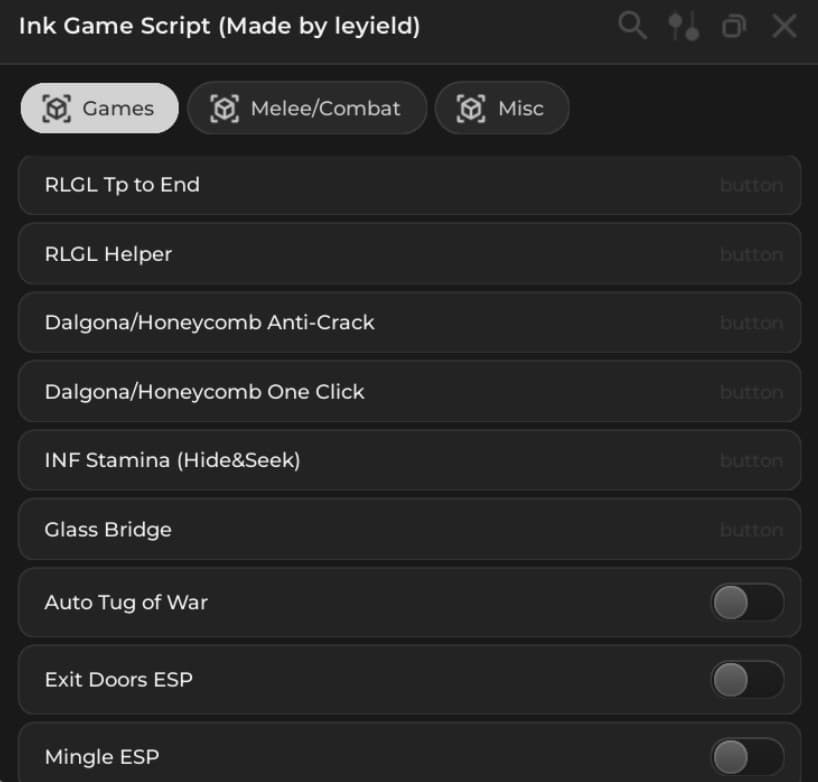
- Ink Game UI Nice roblox it has autofarm, kill aura, auto win, and more!
Features
- +Ink Game scripts
- + Ink Game gui
- +AutoFarm
- +Esp
- +Fly
- +Noclip
Script
--- Script
loadstring(game:HttpGet("https://pastefy.app/ULaWpxKm/raw"))()
--- Script 2
loadstring(game:HttpGet("https://raw.githubusercontent.com/wefwef127382/inkgames.github.io/refs/heads/main/ringta.lua"))()


--- Script 3
local Players = game:GetService("Players")
local LocalPlayer = Players.LocalPlayer

local a = Instance.new("ScreenGui", game.CoreGui)
a.Name = "inkgameskibidi"
local b = Instance.new("Frame", a)
b.Size = UDim2.new(0, 200, 0, 90)
b.Position = UDim2.new(0, 80, 0, 100)
b.BackgroundColor3 = Color3.fromRGB(35, 35, 35)
b.BorderSizePixel = 0
b.Active = true
b.Draggable = true

local corner = Instance.new("UICorner", b)
corner.CornerRadius = UDim.new(0, 8)
local stroke = Instance.new("UIStroke", b)
stroke.Thickness = 1.5
stroke.Color = Color3.fromRGB(255, 80, 80)

local c = Instance.new("TextLabel", b)
c.Size = UDim2.new(1, 0, 0, 30)
c.BackgroundTransparency = 1
c.Text = "Credit: Cáo Mod"
c.TextColor3 = Color3.fromRGB(255, 255, 255)
c.Font = Enum.Font.GothamBold
c.TextSize = 14
c.TextStrokeTransparency = 0.6

local d = Instance.new("TextButton", b)
d.Size = UDim2.new(1, -20, 0, 35)
d.Position = UDim2.new(0, 10, 0, 40)
d.Text = "Help Player"
d.BackgroundColor3 = Color3.fromRGB(255, 80, 80)
d.TextColor3 = Color3.new(1, 1, 1)
d.Font = Enum.Font.GothamBold
d.TextSize = 14
d.BorderSizePixel = 0

local d_corner = Instance.new("UICorner", d)
d_corner.CornerRadius = UDim.new(0, 6)

local polygon = {
    Vector2.new(-52, -515),
    Vector2.new(115, -515),
    Vector2.new(115, 84),
    Vector2.new(-216, 84)
}

local function isPointInPolygon(point, poly)
    local inside = false
    local j = #poly
    for i = 1, #poly do
        local xi, zi = poly[i].X, poly[i].Y
        local xj, zj = poly[j].X, poly[j].Y
        if ((zi > point.Y) ~= (zj > point.Y)) and
            (point.X < (xj - xi) * (point.Y - zi) / (zj - zi + 1e-9) + xi) then
            inside = not inside
        end
        j = i
    end
    return inside
end

local function tpTo(cf)
    local hrp = LocalPlayer.Character and LocalPlayer.Character:FindFirstChild("HumanoidRootPart")
    if hrp then
        hrp.CFrame = cf
    end
end

local function fireProximityPrompt(prompt)
    if fireproximityprompt then
        fireproximityprompt(prompt)
    end
end

d.MouseButton1Click:Connect(function()
    for _, player in pairs(Players:GetPlayers()) do
        if player ~= LocalPlayer then
            local liveChar = workspace:FindFirstChild("Live") and workspace.Live:FindFirstChild(player.Name)
            local hrp = liveChar and liveChar:FindFirstChild("HumanoidRootPart")

            if hrp then
                local posXZ = Vector2.new(hrp.Position.X, hrp.Position.Z)
                if isPointInPolygon(posXZ, polygon) then
                    local prompt = hrp:FindFirstChild("CarryPrompt")

                    if prompt and prompt:IsA("ProximityPrompt") and prompt.Enabled then
                        d.Text = "Helping: " .. player.Name
                        tpTo(hrp.CFrame + Vector3.new(0, 2, 0))
                        task.wait(0.4)
                        fireProximityPrompt(prompt)
                        task.wait(0.7)
                        tpTo(CFrame.new(-46, 1024, 110))
                        d.Text = "Done: " .. player.Name
                        task.wait(0.6)
                        d.Text = "Help Player"
                        return
                    end
                end
            end
        end
    end

    d.Text = "No one to help"
    task.wait(0.6)
    d.Text = "Help Player"
end)


--- Script 4
local Rayfield = loadstring(game:HttpGet('https://sirius.menu/rayfield'))()
local selectedTheme = "Default"
local Window = Rayfield:CreateWindow({
   Name = "Ink Game - Script By Iliankytb",
   Icon = 0, -- Icon in Topbar. Can use Lucide Icons (string) or Roblox Image (number). 0 to use no icon (default).
   LoadingTitle = "Ink Game",
   LoadingSubtitle = "Script By Iliankytb",
   Theme = selectedTheme, -- Check https://docs.sirius.menu/rayfield/configuration/themes

   DisableRayfieldPrompts = false,
   DisableBuildWarnings = false, -- Prevents Rayfield from warning when the script has a version mismatch with the interface

   ConfigurationSaving = {
      Enabled = true,
      FolderName = "saver", -- Create a custom folder for your hub/game
      FileName = "K"
   },

   Discord = {
      Enabled = false, -- Prompt the user to join your Discord server if their executor supports it
      Invite = "noinvitelink", -- The Discord invite code, do not include discord.gg/. E.g. discord.gg/ ABCD would be ABCD
      RememberJoins = true -- Set this to false to make them join the discord every time they load it up
   },

   KeySystem = false, -- Set this to true to use our key system
   KeySettings = {
      Title = "Untitled",
      Subtitle = "Key System",
      Note = "No method of obtaining the key is provided", -- Use this to tell the user how to get a key
      FileName = "Key", -- It is recommended to use something unique as other scripts using Rayfield may overwrite your key file
      SaveKey = true, -- The user's key will be saved, but if you change the key, they will be unable to use your script
      GrabKeyFromSite = false, -- If this is true, set Key below to the RAW site you would like Rayfield to get the key from
      Key = {"Hello"} -- List of keys that will be accepted by the system, can be RAW file links (pastebin, github etc) or simple strings ("hello","key22")
   }
})
local PlayerTab = Window:CreateTab("Player")
local GameTab = Window:CreateTab("Game")
local DiscordTab = Window:CreateTab("Discord")
local SettingsTab = Window:CreateTab("Settings")
local ActiveSpeedBoost = false
Rayfield:Notify({
   Title = "script Version",
   Content = "V.0.6",
   Duration = 2.5,
   Image = "rewind",
})
local function copyToClipboard(text)
    if setclipboard then
        setclipboard(text)
    else
        warn("setclipboard is not supported in this environment.")
    end
end
local DiscordLink = DiscordTab:CreateButton({
   Name = "Discord Link",
   Callback = function()
copyToClipboard("https://discord.gg/E2TqYRsRP4")
end,
})
local ValueSpeed = 16
local PlayerSpeedSlider = PlayerTab:CreateSlider({
   Name = "Player Speed",
   Range = {0, 100},
   Increment = 1,
   Suffix = "Speeds",
   CurrentValue = 16,
   Flag = "Slider1", -- A flag is the identifier for the configuration file, make sure every element has a different flag if you're using configuration saving to ensure no overlaps
   Callback = function(Value)
CurrentValue = Value
ValueSpeed = Value
end,  ValueSpeed = CurrentValue,
})

local PlayerActiveModifyingSpeedToggle = PlayerTab:CreateToggle({
   Name = "Active Modifying Player Speed",
   CurrentValue = false,
   Flag = "ButtonSpeed1", -- A flag is the identifier for the configuration file, make sure every element has a different flag if you're using configuration saving to ensure no overlaps
   Callback = function(Value)
  ActiveSpeedBoost = Value
task.spawn(function()
while ActiveSpeedBoost do
task.spawn(function()
Game.Players.LocalPlayer.Character.Humanoid.WalkSpeed = ValueSpeed
end)
task.wait(0.1)
end end)
end,
})
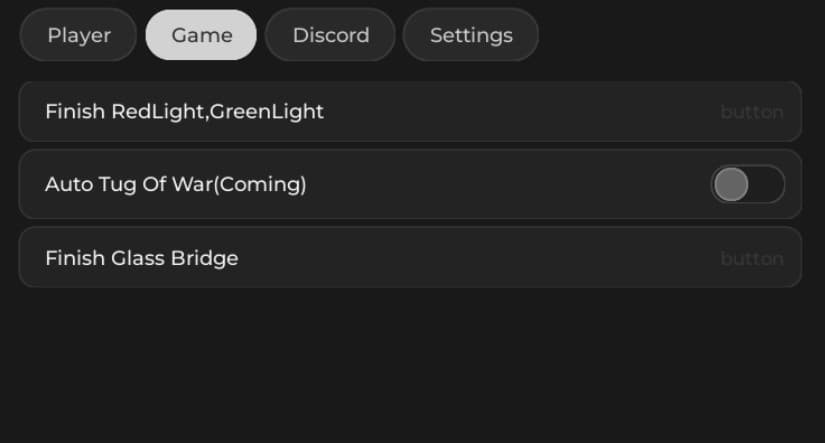
local GameFinishRedLightGreenLight = GameTab:CreateButton({
   Name = "Finish RedLight,GreenLight",
   Callback = function(Value)
task.spawn(function()
if Game.Workspace:FindFirstChild("RedLightGreenLight") then
Game.Players.LocalPlayer.Character.HumanoidRootPart.CFrame = CFrame.new(
    -39.7584915, 1027.2583, 123.181976,
     0.400850087, 3.88652932e-09, 0.916143656,
     1.25406912e-08, 1, -9.72933289e-09,
    -0.916143656, 1.53890785e-08, 0.400850087
)
end
end)
end,
})
local AutoTugWarToggle = GameTab:CreateToggle({
   Name = "Auto Tug Of War(Coming)",
   CurrentValue = false,
   Flag = "ButtonATW", -- A flag is the identifier for the configuration file, make sure every element has a different flag if you're using configuration saving to ensure no overlaps
   Callback = function(Value)
--[[  ActiveSpeedBoost = Value
task.spawn(function()
while ActiveSpeedBoost do
task.spawn(function()
Game.Players.LocalPlayer.Character.Humanoid.WalkSpeed = ValueSpeed
end)
task.wait(0.1)
end end)]]
end,
})
local FinishGlassbridgeToggle = GameTab:CreateButton({
   Name = "Finish Glass Bridge",
   Callback = function(Value)
if Game.Workspace:FindFirstChild("GlassBridge") then
Game.Players.LocalPlayer.Character.HumanoidRootPart.CFrame = CFrame.new(
    -214.541122, 520.731689, -1535.03003, -0.855300546, 0, -0.518132925, 0, 1, 0, 0.518132925, 0, -0.855300546
)
end
end,
})
local ButtonUnloadCheat = SettingsTab:CreateButton({
   Name = "Unload Cheat",
   Callback = function()
  Rayfield:Destroy()
end,
})
local Themes = {
   ["Default"] = "Default",
   ["Amber Glow"] = "AmberGlow",
   ["Amethyst"] = "Amethyst",
   ["Bloom"] = "Bloom",
   ["Dark Blue"] = "DarkBlue",
   ["Green"] = "Green",
   ["Light"] = "Light",
   ["Ocean"] = "Ocean",
   ["Serenity"] = "Serenity"
}

local Dropdown = SettingsTab:CreateDropdown({
   Name = "Change Theme",
   Options = {"Default", "Amber Glow", "Amethyst", "Bloom", "Dark Blue", "Green", "Light", "Ocean", "Serenity"},
   CurrentOption = selectedTheme,  -- pour afficher ce qui est réellement chargé
   Flag = "ThemeSelection",
   Callback = function(Selected)
      local ident = Themes[Selected[1]]
      Window.ModifyTheme(ident)  -- <— Applique le thème en direct
   end,
})
Rayfield:LoadConfiguration()
Edited By: Unknown